

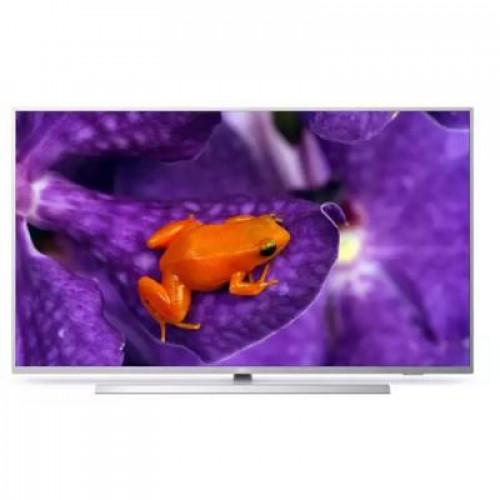
- Screen Size: 50 Inch
- Colour: Silver
- Resolution: 3,840 x 2,160
- 4K UHD: Yes
- SMART TV: Yes
- Hotel TV: Yes
- HDMI: 3
- USB 2.0 ports quantity: 1
- Power consumption: 68 W
- Operating temperature range (T-T): 0 °C to 40 °C
- Brightness: 350 cd/m2
- Built-in speakers: Yes
- Speakers: 2 x 10W
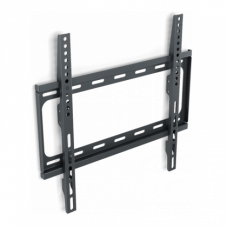
- Compatible with VESA-wall mounting system: 300 x 200 mm
- Dimensions W/O Stand (W x H x D): 1,120 x 650 x 60/78 mm
- Dimensions With Stand (W x H x D): 1,120 x 681 x 240 mm
- Weight W/O Stand: 13.5 Kg
- Weight: 16 Kg
- Warranty: 3 year on site as standard - see warranties tab for further options
50" 50HFL6114U/12 Professional TV
Smarter connectivity
Designed for a fast-paced world, MediaSuite features advanced connectivity and versatile configuration settings. Chromecast built-in makes streaming fast and easy, while Android™ and Google Play Store unleash infinite possibilities.
Smarter connectivity
with Chromecast built-in and Netflix
• 50" MediaSuite
• powered by Android™
Android updates provide the latest functionality
Android-powered Philips Professional TVs are fast, versatile and easy to navigate. The TVs are optimised for native Android apps and you can install web apps directly to the display too. Automatic updates ensure apps stay up to date.
Chromecast™ built in for easy content sharing
Enable instant, secure wireless casting of movies, presentations and more from smart devices (mobiles, laptops, tablets) in up to 4K resolution. Chromecast is cost-effective, requires no extra hardware and is secure for professional use. Users simply tap the Chromecast icon on their smart device to start streaming content from thousands of cast-enabled apps — their smart device becomes the remote.
Google Play Store access for apps and media
Full access to the entire Google Play Store makes it easy to add apps, games, music, movies and more to your Philips Professional Display. New business tools and extra entertainment options are added to the catalogue daily, ensuring that you always have access to the latest global trends.
Customisable UI for custom logos and colours
Philips MediaSuite features a clear, easy-to-navigate user interface (UI) that can be customised with your own branding. Easily add your logo and colours to the search bar to increase the presence of your brand.
Analytics on-board provides usage stats
From hotel chain to sports bar, monitor how each Android-powered Philips MediaSuite TV in your fleet is being used. Find out how often specific channels are watched. Test the effectiveness of your advertising. Get the information you need to manage costs effectively, with easy access to screen-time data. Launch instant customer satisfaction surveys for valuable feedback from guests on the spot.
Install and manage apps remotely with AppControl
Take full, centralised control of the apps installed on your Philips Professional TVs. AppControl lets you install, delete and manage apps on selected TVs or your entire network so that you can offer personalised experiences to your guests and customers — no matter how many TVs you are managing.
Operate, monitor and maintain via CMND & Control
Run your display network over a local (LAN or RF) connection. CMND & Control allows you to perform vital functions like updating software and settings, as well as monitoring display status. Whether you're in charge of one TV or more, CMND & Control makes managing your fleet easy.
Create custom experiences with CMND & Check-in
Make visitors feel welcome. CMND & Check-in lets you use individual information-such as name and language spoken-to create a personalised experience. Whether you're adding special touches for hotel guests, streamlining the billing process or offering multiple channel packages.
Integrated Netflix with dedicated remote button
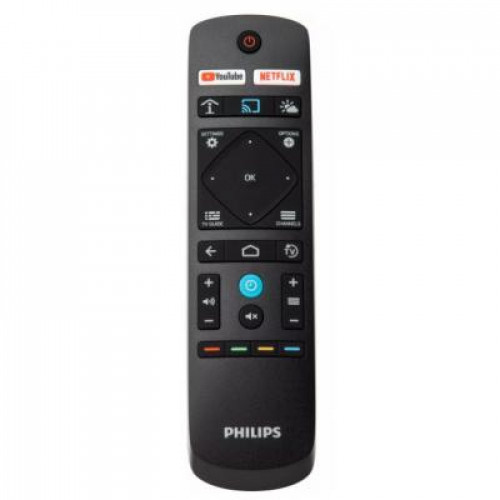
Integrated Netflix access makes watching the latest movies and shows from your account easier, faster and more convenient. There's no need for any external players or satellite TV, which helps keep operational costs down and installations neat, whilst maintaining a modern look for your establishment. A dedicated Netflix button on the remote provides instant access for efficient usability. Terms and conditions apply for Netflix activation.
Google Assistant™ enables faster, smarter control
Voice control and faster answers are here with the optional Google Assistant™-enabled remote control (22AV2025B/00). Open YouTube. Turn the volume up. Play your favourite songs and get all the info you need, such as weather updates, things to do and even spoken translations in an instant. With Google Assistant™, the possibilities are endless.
Smarter connectivity
Designed for a fast-paced world, MediaSuite features advanced connectivity and versatile configuration settings. Chromecast built-in makes streaming fast and easy, while Android™ and Google Play Store unleash infinite possibilities.
Smarter connectivity
with Chromecast built-in and Netflix
• 50" MediaSuite
• powered by Android™
Android updates provide the latest functionality
Android-powered Philips Professional TVs are fast, versatile and easy to navigate. The TVs are optimised for native Android apps and you can install web apps directly to the display too. Automatic updates ensure apps stay up to date.
Chromecast™ built in for easy content sharing
Enable instant, secure wireless casting of movies, presentations and more from smart devices (mobiles, laptops, tablets) in up to 4K resolution. Chromecast is cost-effective, requires no extra hardware and is secure for professional use. Users simply tap the Chromecast icon on their smart device to start streaming content from thousands of cast-enabled apps — their smart device becomes the remote.
Google Play Store access for apps and media
Full access to the entire Google Play Store makes it easy to add apps, games, music, movies and more to your Philips Professional Display. New business tools and extra entertainment options are added to the catalogue daily, ensuring that you always have access to the latest global trends.
Customisable UI for custom logos and colours
Philips MediaSuite features a clear, easy-to-navigate user interface (UI) that can be customised with your own branding. Easily add your logo and colours to the search bar to increase the presence of your brand.
Analytics on-board provides usage stats
From hotel chain to sports bar, monitor how each Android-powered Philips MediaSuite TV in your fleet is being used. Find out how often specific channels are watched. Test the effectiveness of your advertising. Get the information you need to manage costs effectively, with easy access to screen-time data. Launch instant customer satisfaction surveys for valuable feedback from guests on the spot.
Install and manage apps remotely with AppControl
Take full, centralised control of the apps installed on your Philips Professional TVs. AppControl lets you install, delete and manage apps on selected TVs or your entire network so that you can offer personalised experiences to your guests and customers — no matter how many TVs you are managing.
Operate, monitor and maintain via CMND & Control
Run your display network over a local (LAN or RF) connection. CMND & Control allows you to perform vital functions like updating software and settings, as well as monitoring display status. Whether you're in charge of one TV or more, CMND & Control makes managing your fleet easy.
Create custom experiences with CMND & Check-in
Make visitors feel welcome. CMND & Check-in lets you use individual information-such as name and language spoken-to create a personalised experience. Whether you're adding special touches for hotel guests, streamlining the billing process or offering multiple channel packages.
Integrated Netflix with dedicated remote button
Integrated Netflix access makes watching the latest movies and shows from your account easier, faster and more convenient. There's no need for any external players or satellite TV, which helps keep operational costs down and installations neat, whilst maintaining a modern look for your establishment. A dedicated Netflix button on the remote provides instant access for efficient usability. Terms and conditions apply for Netflix activation.
Google Assistant™ enables faster, smarter control
Voice control and faster answers are here with the optional Google Assistant™-enabled remote control (22AV2025B/00). Open YouTube. Turn the volume up. Play your favourite songs and get all the info you need, such as weather updates, things to do and even spoken translations in an instant. With Google Assistant™, the possibilities are endless.
| Hospitality Screens | |
| Screen Size | 50" |
| Series | MediaSuite |
| Display | |
|---|---|
| Display diagonal | 127 cm (50") |
| HD type | 4K Ultra HD |
| Screen shape | Flat |
| Display brightness | 350 cd/m² |
| Display resolution | 3840 x 2160 pixels |
| Display diagonal (metric) | 126 cm |
| TV tuner | |
| Tuner type | Analog & digital |
| Analog signal format system | PAL |
| Digital signal format system | DVB-C, DVB-T, DVB-T2 |
| Smart TV | |
| Smart TV | Y |
| Internet TV | Y |
| Operating system installed | Android |
| Operating system version | 9 |
| Video apps | Netflix, YouTube |
| Lifestyle apps | Google Apps |
| Audio | |
| Number of speakers | 2 |
| RMS rated power | 20 W |
| Audio decoders | DTS |
| Audio decoding technologies | DTS Studio Sound, DTS-HD |
| Network | |
| Wi-Fi | Y |
| Ethernet LAN | Y |
| Wi-Fi standards | Wi-Fi 5 (802.11ac) |
| Wi-Fi Direct | Y |
| Bluetooth | N |
| Design | |
| Rollable display | N |
| On/off switch | Y |
| VESA mounting | Y |
| Panel mounting interface | 300 x 200 mm |
| Product colour | Silver |
| Performance | |
| Video formats supported | AVI, HEVC/H.265, MPEG1, MPEG2, MPEG4, VP9, WMV9 |
| Audio formats supported | AAC, MP3, WAV, WMA, WMA-PRO |
| Image formats supported | BMP, GIF, JPG, PNG |
| Subtitle formats supported | SMI, SRT, TXT |
| Ports & interfaces | |
| HDMI version | 2.0 |
| Audio Return Channel (ARC) | Y |
| HDCP | Y |
| DVI port | N |
| Ethernet LAN (RJ-45) ports | 1 |
| USB 2.0 ports quantity | 1 |
| USB 3.2 Gen 1 (3.1 Gen 1) Type-A ports quantity | 1 |
| Headphone outputs | 1 |
| Common interface Plus (CI+) | Y |
| Common interface Plus (CI+) version | 1.3.2 |
| HDMI ports quantity | 3 |
| PC in (D-Sub) | N |
| Consumer Electronics Control (CEC) | EasyLink |
| Management features | |
| ECO mode | Y |
| Hotel mode | Y |
| Auto power off | Y |
| Sleep timer | Y |
| Firmware upgradeable | Y |
| Firmware upgradeable via | USB |
| Power | |
| Energy efficiency class (SDR) | G |
| Energy consumption (SDR) per 1000 hours | 68 kWh |
| Power consumption (typical) | 68 W |
| Power consumption (standby) | 0.3 W |
| AC input voltage | 220 - 240 V |
| AC input frequency | 50/60 Hz |
| Energy efficiency scale | A to G |
| Operational conditions | |
| Operating temperature (T-T) | 0 - 40 °C |
| Technical details | |
| Harmonized System (HS) code | 85287280 |
| Weight & dimensions | |
| Width (with stand) | 1120 mm |
| Depth (with stand) | 240 mm |
| Height (with stand) | 681 mm |
| Weight (with stand) | 16 kg |
| Width (without stand) | 112 cm |
| Depth (without stand) | 7.8 cm |
| Height (without stand) | 65 cm |
| Weight (without stand) | 13.5 kg |
| Packaging data | |
| Desktop stand | Y |
| Cables included | AC |
| Remote control included | Y |
PHILIPS 50” MEDIA SUITE IPTV 4K UHD W CHROMECAST EXT LIFETIM
- Product Code: 50HFL6114U/12
- Availability: .